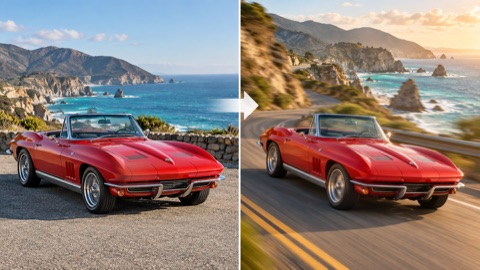
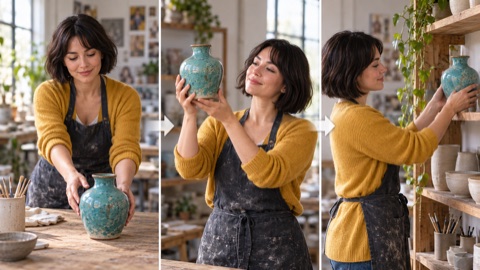
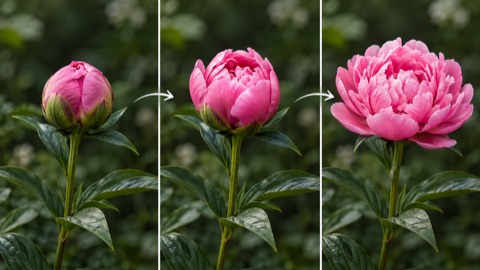
Image-guided motion
Combine a starting image with a prompt describing movement and camera direction.
Turn still images into animated videos with Wan 2.2 I2V 14B and custom LoRA models. This online tool combines image-to-video generation with additional controls for motion, visual style, and model behavior.
Upload a starting image, describe the motion you want, and configure a compatible LoRA to guide the generation process. LoRA adapters can help specialize a video model for particular movements, styles, or visual characteristics without requiring a completely separate base model.
The interactive demo is powered by a third-party Hugging Face Space running on shared GPU infrastructure. Availability, processing time, and daily usage limits may vary.

This demo is hosted by a third party on Hugging Face. GPU queues and usage limits apply. Avoid uploading private or sensitive images.
Switching workspaces reloads the demo and clears its current inputs. Download any results before switching.
Checking demo availability…
Choose a clear starting image with a recognizable subject and room for movement.
Describe the subject’s movement, camera behavior, and visual details. Start with one simple action.
Use a compatible preset or a supported Hugging Face LoRA repository. If separate high-noise and low-noise files are requested, select the matching weights.
Choose the available duration, inference steps, and LoRA strength. Begin with a short clip and change one setting at a time.
Submit the task, wait for GPU allocation and processing, then review and download the video using the demo’s controls.
LoRA (Low-Rank Adaptation) is a technique for adapting an existing AI model with a relatively small set of additional weights.
In Wan 2.2 image-to-video workflows, compatible LoRA adapters can influence the generated video’s motion or visual characteristics. Some adapters provide separate weights for the high-noise and low-noise stages of generation.
Compatibility depends on the underlying model, adapter format, and inference implementation. Not every Wan LoRA works with every Wan 2.2 workflow.
Combine a starting image with a prompt describing movement and camera direction.
Experiment with compatible adapter weights and strength settings to guide motion or style.
Use the third-party interface without installing a local generation pipeline. Processing runs on the Space’s infrastructure.
The embedded Hugging Face ZeroGPU demo offers access subject to shared GPU availability, account quotas, and queue limits. Wan2.Video does not charge for access to this page; Hugging Face may require sign-in or ask you to try again later.
No. LoRA compatibility depends on the model architecture and the format expected by the inference pipeline. Use adapters intended for the supported Wan 2.2 image-to-video workflow and follow their loading instructions.
Standard image-to-video generation uses the base model and a text prompt. LoRA-based generation adds compatible adapter weights to influence particular characteristics of the output.
The official Wan2.2-I2V-A14B model supports 480p and 720p generation. However, available resolutions in this embedded demo depend on its implementation; check the controls before generating.
Video generation requires substantial GPU computation. Processing time also depends on resolution, video length, inference settings, and the Hugging Face queue. A short clip is a useful first test.
No. This page is an independent informational resource embedding a third-party community demo. It is not an official Wan AI service. Uploads and processing are handled by the selected Hugging Face Space.