P-Video-2

Generate video from text or a reference image, with speech, music and sound effects. See how Pruna’s P-Video-2 handles people, characters and products in six playable examples.

Pruna playground

Open in a new tab

Use the official Pruna playground below. Account requirements, usage limits and charges are set by Pruna.

P-Video-2 video examples

Official demos from Pruna and its Replicate model page. Press play to watch with sound. Dimensions and durations below describe the actual clips.

Image to video

Skincare spokesperson

A presenter holds a product and speaks to the camera. Watch the lip movement, gestures and background audio.

412 × 640 6 sec With audio

English prompt idea
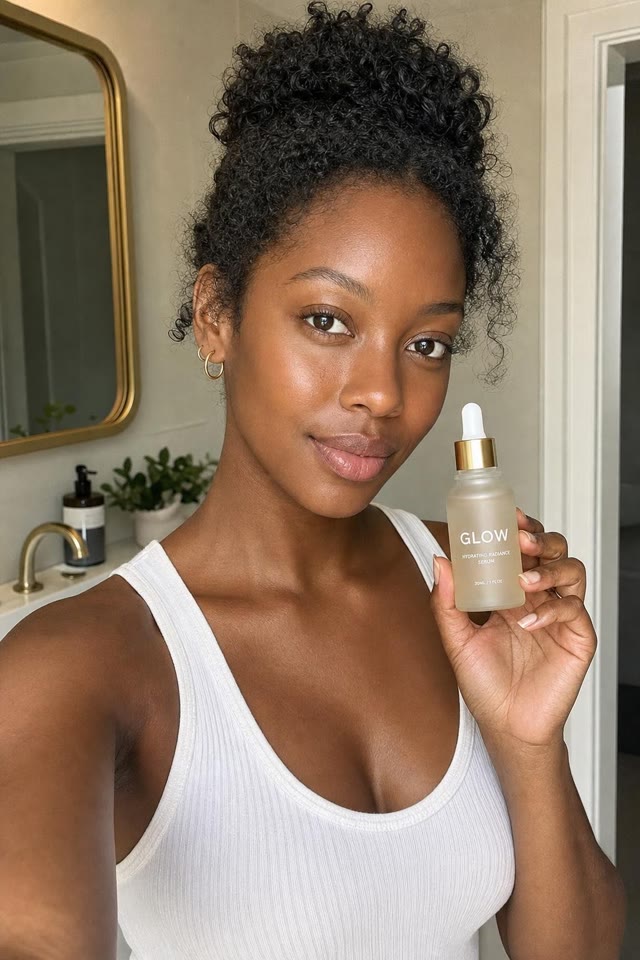
Reference image: Skincare spokesperson
Reference image

A suggested prompt for a similar scene, not the original demo prompt.

Animate the reference portrait as a short product introduction. The presenter holds the bottle and explains how she applies it. Keep the camera steady, preserve her appearance, and add a clear conversational voice with quiet room ambience.
Text to video

Acoustic singer

A guitar performance with singing and room sound. Listen to the vocal and instrument while watching the mouth movement.

704 × 1280 19.7 sec With audio

English prompt idea

A suggested prompt for a similar scene, not the original demo prompt.

A singer performs an original verse while playing acoustic guitar in a warmly lit room. Keep the shot close and steady. Match the mouth movement to the singing, with natural guitar strums, a clear vocal and soft room sound.

Image to video

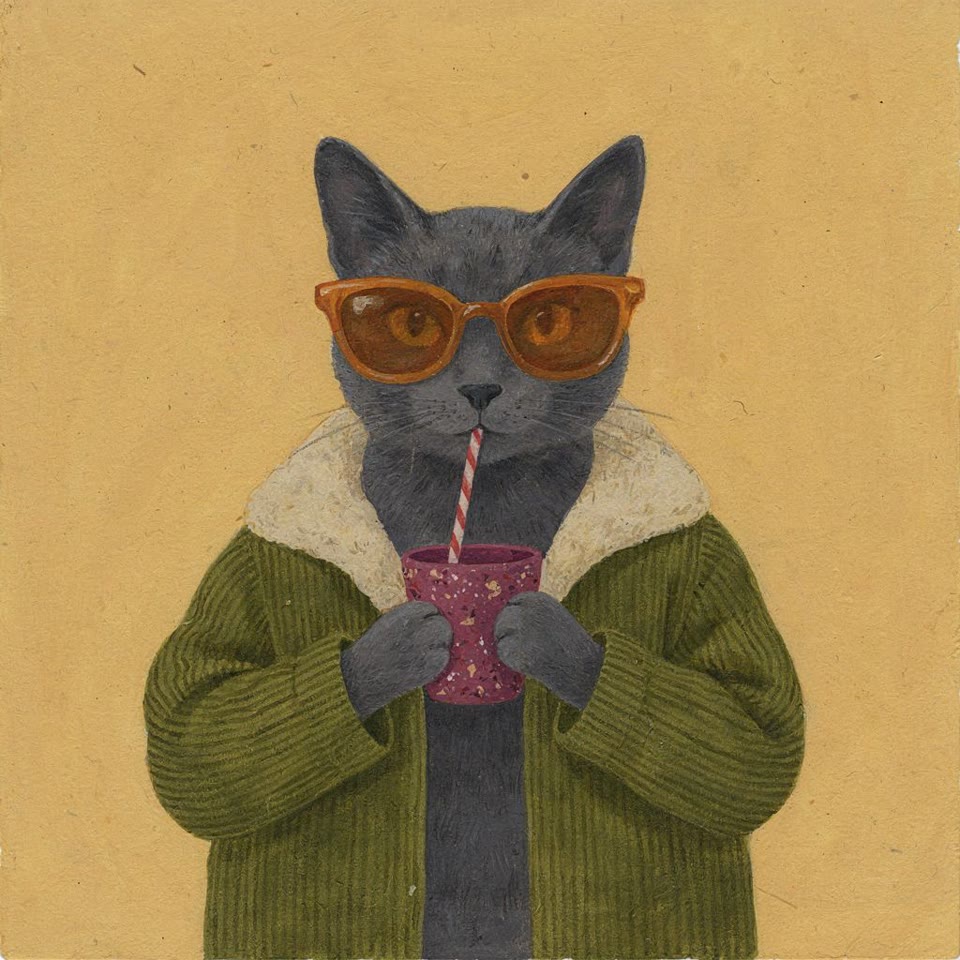
A cat says “miau”

An illustrated cat pauses its drink to speak. Compare the face, sunglasses and clothing with the reference image.

1408 × 1408 8.4 sec With audio

English prompt idea
Reference image: A cat says “miau”
Reference image

A suggested prompt for a similar scene, not the original demo prompt.

Animate this illustrated cat without changing its face, sunglasses, jacket or surroundings. It takes a sip, looks at the viewer, says "miau", then returns to its drink. Keep the voice brief and the movement gentle.

Image to video

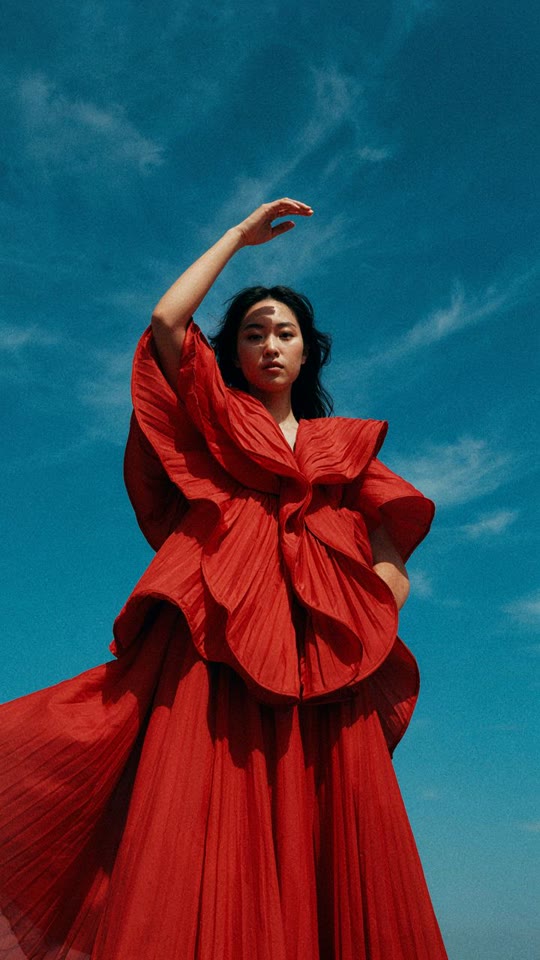
Fashion in motion

A still fashion portrait becomes a short clip. Look at the changing pose, hair movement and fabric folds.

1088 × 1920 6.4 sec With audio

English prompt idea
Reference image: Fashion in motion
Reference image

A suggested prompt for a similar scene, not the original demo prompt.

Animate the fashion reference with a small change of pose and a light breeze through the hair and fabric. Keep the face, hands and outfit consistent. Use a fixed camera and let the model remain in the same place.

Image to video

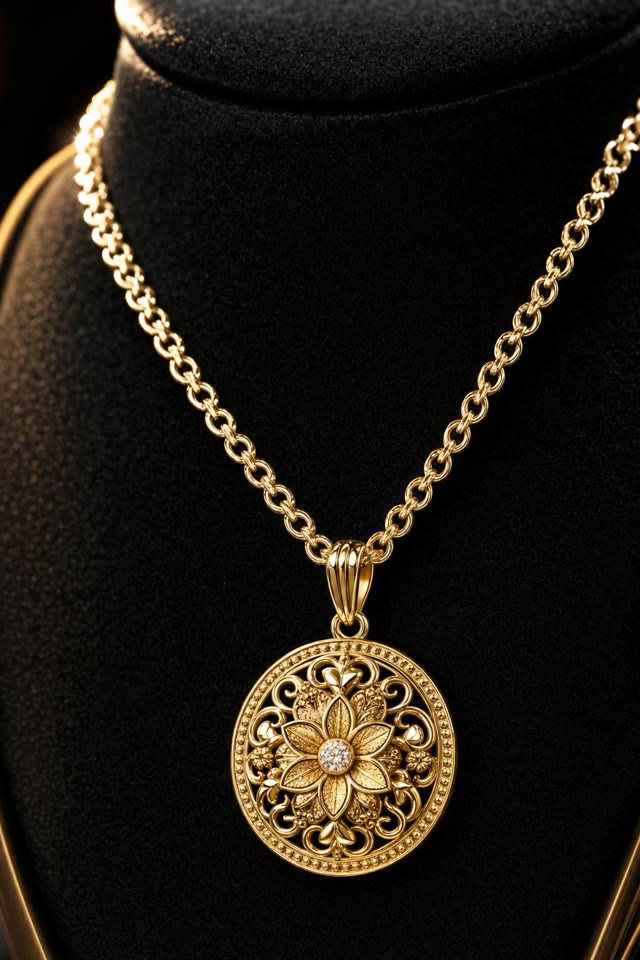
Jewelry close-up

A product image gains moving reflections and a gentle camera approach. Check the pendant’s shape and surface detail.

412 × 640 4 sec With audio

English prompt idea
Reference image: Jewelry close-up
Reference image

A suggested prompt for a similar scene, not the original demo prompt.

Create a close-up product video from this pendant photograph. Move the light slowly across the metal and gemstone while the camera inches closer. Preserve the exact shape and fine details, with a quiet instrumental background.

Text to video

Astronaut on an alien world

An astronaut walks across an unfamiliar landscape. Watch the tracking camera, depth and environment movement.

1920 × 1088 5.4 sec With audio

English prompt idea

A suggested prompt for a similar scene, not the original demo prompt.

An astronaut walks across a red rocky plain beneath an enormous distant planet. Track backward at walking speed to keep the astronaut in frame. Add drifting dust, footsteps and a restrained atmospheric soundtrack.

What P-Video-2 supports

Input
Text, with an optional image or audio track
Resolution and frame rate
Up to 1080p and 48 fps
Clip length
Up to 20 seconds
Audio
Generated speech, music and sound effects; optional imported audio

Writing a prompt

  1. Describe one main action, the setting and the camera movement.
  2. For speech, write the dialogue and describe the voice, pauses and background sound.
  3. With an image, specify what should move and what should stay consistent.

Questions about P-Video-2

Can I generate a P-Video-2 video here?

Yes. Use the embedded Pruna playground above. Account requirements, usage limits and charges are set by Pruna. If it cannot load or sign in, open it in a new tab.

Is this P-Video-2 Pro or P-Video-Avatar?

These examples are for P-Video-2. P-Video-2-Pro, P-Video and P-Video-Avatar are separate models.

Can I start with a photo or an audio track?

Yes. A reference image guides the scene and its proportions. An imported audio track determines the timing; you can also describe speech or music for the model to generate.

Model documentation